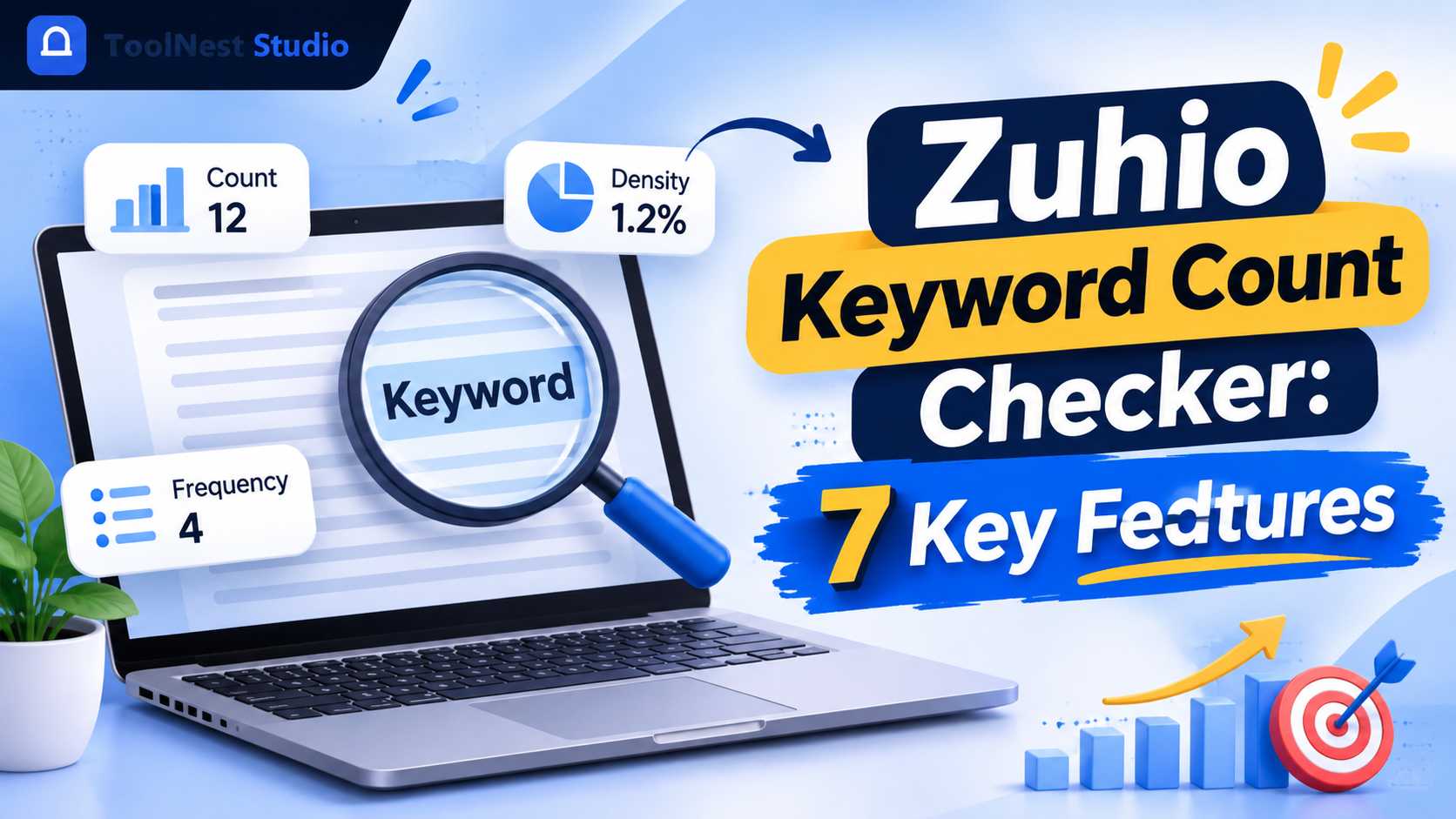
Zuhio Keyword Count Checker: 7 Amazing Features
The Zuhio Keyword Count Checker is an online tool that helps writers check how often specific words and phrases appear in their content. It also calculates keyword density and shows where matching terms appear in the text. These details can help writers review their content before publishing.
Keyword usage is an important part of content editing. However, repeating a keyword too many times does not guarantee better search rankings. Writers need to use relevant terms naturally and keep their content easy to read.
In this guide, we will explore the Zuhio keyword counter, its features, how to use it, and how keyword frequency supports content optimization.
What Is the Zuhio Keyword Count Checker?
The Zuhio Keyword Count Checker is a browser-based tool designed to count specific keywords and phrases in written content. Users can paste their text, enter the terms they want to check, and view the results.
The tool provides information such as keyword occurrences, total word count, and keyword density. It also offers options for checking multiple keywords and reviewing where those terms appear.
Writers can use this information to identify missing keywords and unnecessary repetition. It is particularly useful when editing blog posts, website content, articles, and other written material.
It is important to understand that the website describes itself as an independent project by Shahid Akram. It also states that it is not affiliated with Zuhio or Google.
7 Key Features of Zuhio Keyword Count Checker
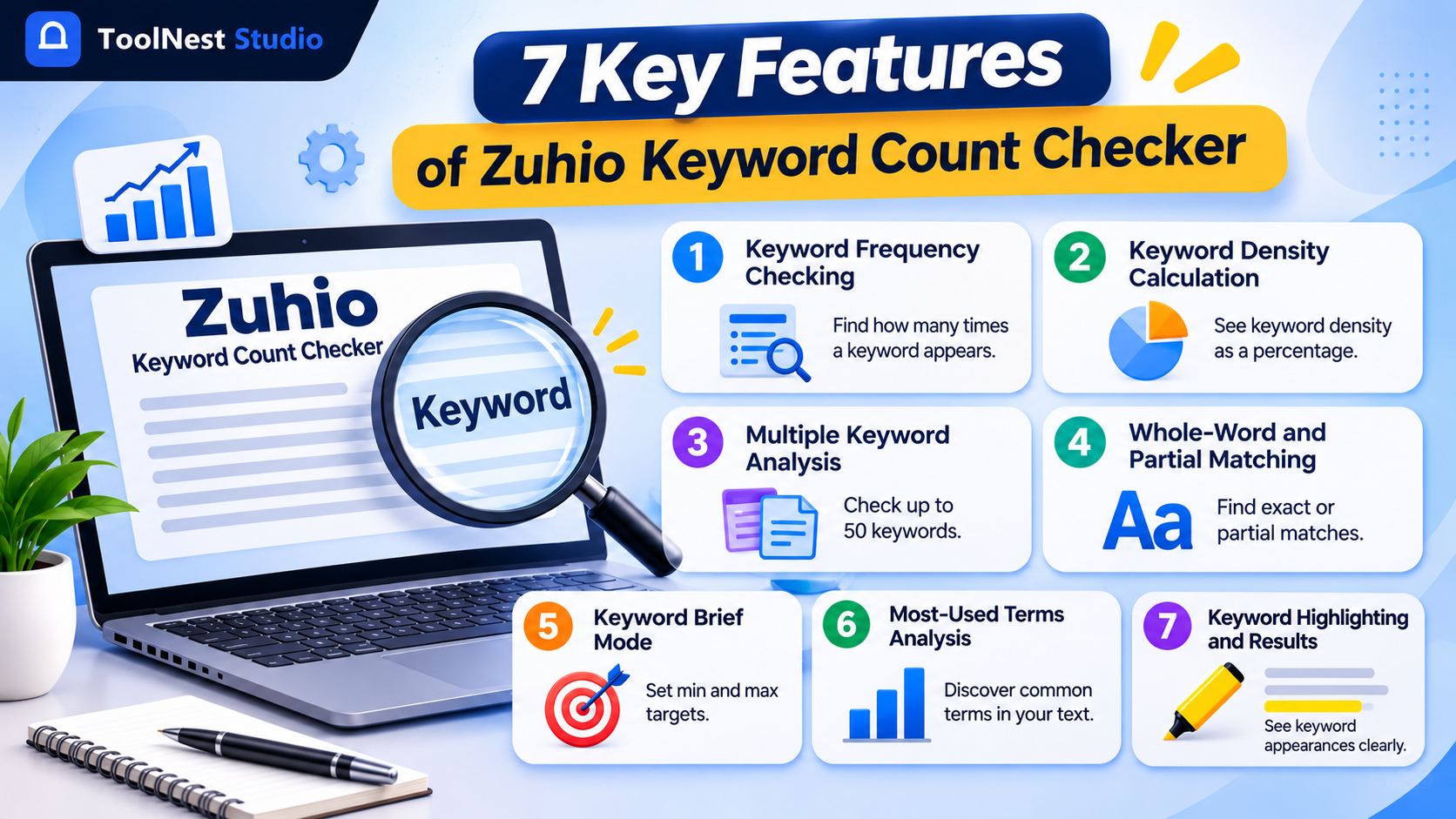
The tool offers several features that can help users review keyword usage in their writing.
1. Keyword Frequency Checking
The keyword frequency checker counts how many times a selected word or phrase appears in the supplied text.
This helps writers identify repeated terms and check whether important keywords are missing from their drafts.
2. Keyword Density Calculation
The tool calculates keyword density by comparing keyword occurrences with the total number of words.
It displays the result as a percentage, making it easier to understand how frequently a term appears in the content.
3. Multiple Keyword Analysis
Users can check several keywords or phrases in one session. The tool supports up to 50 keywords at a time.
This feature can save time when reviewing articles that target multiple related search terms.
4. Whole-Word and Partial Matching
The tool provides different matching options.
- Whole-word matching: Counts a term as a complete word.
- Partial matching: Finds the term even when it appears inside another word.
- Case-sensitive matching: Allows users to distinguish uppercase and lowercase letters.
For example, a whole-word search for “art” will not count the word “article.” Partial matching can include it.
5. Keyword Brief Mode
Keyword Brief Mode allows users to set minimum and maximum mention targets for their selected terms.
The tool compares actual keyword counts with these targets and displays whether a keyword is below, within, or above the selected range.
These targets are user-defined and should not be treated as official search engine recommendations.
6. Most-Used Terms Analysis
The Content QA mode helps users identify the most frequently used terms in their writing.
This can be useful when editing long articles because writers may repeat certain words without noticing.
7. Keyword Highlighting and Results
The tool shows matching sentences and highlights keyword appearances in the supplied text.
Users can review these results to understand where keywords appear and decide whether any changes are necessary.
How to Use Zuhio Keyword Count Checker
Using an online keyword count tool is generally simple. You only need your written content and the keywords you want to review.
Follow these steps:
Step 1: Open the Keyword Count Checker
Visit the Zuhio Keyword Count Checker website and open its keyword counting tool.
Step 2: Add Your Content
Copy your article, blog post, or other written material and paste it into the content box.
Step 3: Enter Your Keywords
Add the words or phrases you want to analyze. You can enter multiple keywords by separating them with commas or new lines.
Step 4: Choose Matching Options
Select the matching method that suits your needs. You can use whole-word or partial matching and adjust case sensitivity.
Step 5: Check Your Results
Click the Check Keywords button to analyze your content.
The tool displays keyword occurrences, density, and other available results.
Step 6: Review Your Content
Check the highlighted words and matching sentences. If a phrase appears too frequently, consider rewriting unnecessary repetitions.
How Does Keyword Frequency Checking Work?
A keyword frequency checker measures how often a particular word or phrase appears in a text.
For example, suppose you write a 1,000-word article and use the phrase “content marketing” 10 times. The keyword count is 10.
The frequency gives you a direct count, while keyword density shows how that count compares with the total length of the content.
These measurements can help writers understand their keyword usage without manually searching through every paragraph.
However, a high or low count does not automatically mean that an article is optimized. Content quality, relevance, and search intent also matter.
Keyword Count vs Keyword Density
Keyword count and keyword density are related, but they measure different things.
| Measurement | Meaning |
|---|---|
| Keyword count | Total number of keyword occurrences |
| Keyword frequency | How often a keyword appears |
| Keyword density | Percentage of keyword occurrences compared with total words |
Keyword Density Formula
The basic formula is:
Keyword Density = (Keyword Occurrences ÷ Total Word Count) × 100
For example:
Suppose an article contains 2,000 words, and the main keyword appears 20 times.
Keyword Density = (20 ÷ 2,000) × 100
Keyword Density = 1%
This means the keyword represents 1% of the total word count under this calculation.
There is no universal keyword density percentage that guarantees better Google rankings. Use the calculation to review repetition rather than trying to reach an arbitrary target.
Benefits of Using an Online Keyword Count Tool
An online keyword count tool can make content editing easier, especially when working with longer articles.
Some useful benefits include:
- Saves time: Counts keywords automatically instead of requiring manual searches.
- Finds repeated terms: Helps identify words that appear too frequently.
- Checks keyword placement: Shows where selected terms appear in the supplied text.
- Supports content editing: Helps writers review drafts before publishing.
- Checks multiple terms: Makes it easier to review primary and secondary keywords together.
- Improves editing decisions: Provides useful information for making content clearer and more natural.
These benefits make keyword counting useful as part of a broader content review process.
How to Use Keyword Usage Analysis for Better Content
Keyword usage analysis involves more than checking how many times a phrase appears.
Writers should also consider where keywords appear and whether they fit the topic naturally.
Here are some useful practices:
Review Important Content Areas
Check whether your primary keyword appears naturally in important areas, such as the title, introduction, main heading, and relevant subheadings.
Do not force the same phrase into every section.
Use Related Keywords Naturally
Include relevant variations and related phrases where they help explain the topic.
For example, an article about keyword counting may naturally include terms such as keyword frequency, keyword density, and keyword usage analysis.
Avoid Keyword Stuffing
Keyword stuffing happens when writers repeat search terms excessively to manipulate search rankings.
It can make sentences difficult to read and reduce the quality of the content.
Remove unnecessary repetitions and focus on providing useful information.
Review the Content After Editing
Run another keyword check after making changes. This helps you see whether your edits have affected keyword usage.
Remember that the goal is clear and helpful writing, not a specific percentage.
Limitations of Zuhio Keyword Count Checker
Although the tool can help with keyword counting, it does not provide a complete SEO analysis.
Users should understand its limitations before relying on it for content optimization.
- No ranking predictions: It cannot tell whether a page will rank in Google.
- No search volume data: It does not show how frequently people search for a keyword.
- No competitor analysis: It does not compare your content with competing websites.
- No search intent analysis: It cannot determine whether your article matches what users want.
- No automatic content quality review: It cannot fully judge readability, accuracy, or usefulness.
- Text-based analysis: It analyzes the text you provide rather than automatically reviewing every element of a live webpage.
For a broader SEO review, writers should combine keyword counting with other content and website analysis methods.
Zuhio Keyword Count Checker vs. Keyword Density Checker
A keyword count checker and a keyword density checker have related purposes. Both help users understand how frequently terms appear in written content.
However, their main focus can differ.
| Feature | Keyword Count Checker | Keyword Density Checker |
|---|---|---|
| Keyword counting | Yes | Yes |
| Keyword frequency | Yes | Yes |
| Density calculation | Available | Main focus |
| Content review | Depends on features | Depends on features |
| SEO ranking prediction | No | No |
If you want to review repeated keywords in your own draft, you can also try the ToolNest Studio Keyword Density Checker.
It can help you review keyword usage and identify repeated terms while editing your content.
Frequently Asked Questions
1. What is the Zuhio Keyword Count Checker?
The Zuhio Keyword Count Checker is an online tool that counts how often selected words and phrases appear in supplied text. It also provides keyword density and matching information.
2. How to use Zuhio Keyword Count Checker?
Open the tool, paste your content, enter the keywords you want to check, and select your matching options. Then click Check Keywords to view the results.
3. Is Zuhio Keyword Count Checker free?
The website presents its keyword counting tool as free to use. It does not require users to pay for the basic keyword checking process.
4. What is a keyword frequency checker?
A keyword frequency checker counts how many times a particular word or phrase appears in written content. It helps writers review keyword repetition and usage.
5. What is the difference between keyword count and keyword density?
Keyword count shows the total number of times a term appears. Keyword density calculates that number as a percentage of the total word count.
6. Does keyword density improve Google rankings?
There is no specific keyword density percentage that guarantees better rankings. Writers should focus on useful information, natural keyword placement, and content that satisfies search intent.
Conclusion
The Zuhio Keyword Count Checker can help writers review keyword frequency, calculate density, and find repeated terms in their content. Its multiple keyword checking and highlighting options can also make the editing process easier.
However, keyword counting is only one part of SEO. It does not replace keyword research, competitor analysis, technical SEO, or helpful content.
Use keyword measurements as a guide, avoid unnecessary repetition, and focus on creating content that provides real value to readers.